The server
deploy/setup.sh takes a fresh server from zero to a running RemoteServer, then verifies it. Run it on the server, as a user with passwordless sudo:
It asks a few things up front - the public DNS name, an ACME e-mail address, and whether you have your own MariaDB (otherwise it installs one) - then runs to the end. It is idempotent, and each step can run on its own:
For an unattended run, copy deploy/config.env.example to deploy/config.env and fill it in.
What the steps do
| Step | What it leaves behind |
|---|---|
01-prereqs |
Packages the rest needs. |
02-mariadb |
MariaDB and its database and user (or your external database), /etc/remoteserver/db.env. |
03-schema |
The baseline schema loaded into the database (RAC_SCHEMA_FORCE=1 reloads it). |
04-server |
/opt/remoteserver, the command-signing key, the client CA, secret.key, bastion.env (with PublicUrl), the systemd unit, the package directory. Secrets that already exist are reused, never regenerated. |
05-bastion |
The restricted agent SSH user, the SSH CA, the sshd Match block, and the listen-rights script that lets a device bind its reverse port only while an operator is asking. |
06-tls |
A Let's Encrypt certificate through Cloudflare DNS-01. |
07-nginx |
The 443 multiplexer: SSH and HTTPS/WSS on one port, mTLS for /agent, /ssh and /api/*, /admin/* on localhost only. |
08-harden |
UFW, fail2ban, sshd hardening. |
09-blob |
The first bootstrap blob and the first admin login. |
10-selfupdate |
The helper the console-driven server update uses (systemd path units and root-only scripts). |
11-verify |
Checks the whole thing end to end. |
TLS uses Let's Encrypt with Cloudflare DNS-01: the script prompts for a Cloudflare API token (Zone → DNS → Edit), or place it at /etc/letsencrypt/cloudflare.ini first. No Cloudflare? Issue the certificate yourself and skip 06-tls.
At the end, 09-blob prints the bootstrap blob and the first admin login: admin with a temporary password to change at the first sign-in. The password is kept in /var/lib/remoteserver/first-admin-password.txt, readable by the service user only, and the file is removed once the password has been changed.
The port
Everything comes in on 443: the agents' WebSocket, their telemetry, the raw SSH of the reverse tunnels and the WebSocket-bridged SSH for networks that let only TLS through. nginx tells them apart and hands each to the right place; the server's own listener and /admin/* stay on localhost. Managed devices need no inbound ports at all, and the operator reaches the admin API only through a tunnel.
Troubleshooting
sudo systemctl status remoteserver
sudo journalctl -u remoteserver -f
sudo nginx -t && sudo tail -f /var/log/nginx/error.log
| Symptom | Check |
|---|---|
09-blob reports a missing PublicUrl |
Set Server__PublicUrl in /etc/remoteserver/bastion.env and restart remoteserver. |
09-blob reports a missing schema |
Re-run ./deploy/setup.sh 03-schema. |
| An agent enrolls but the console cannot connect | Is the agent service running? Is the bastion host key present in bastion.env? |
/agent or /api/* returns 403 |
nginx's mTLS and the client CA. |
/admin/* is unreachable from the internet |
Expected: localhost only, reached through an enrolled device's tunnel. |
| TightVNC is not installed on a device | The pinned MSI has to sit at vnc\tightvnc.msi next to the agent before the service starts, or run RemoteAgent.exe provision-vnc --msi <path> elevated. |
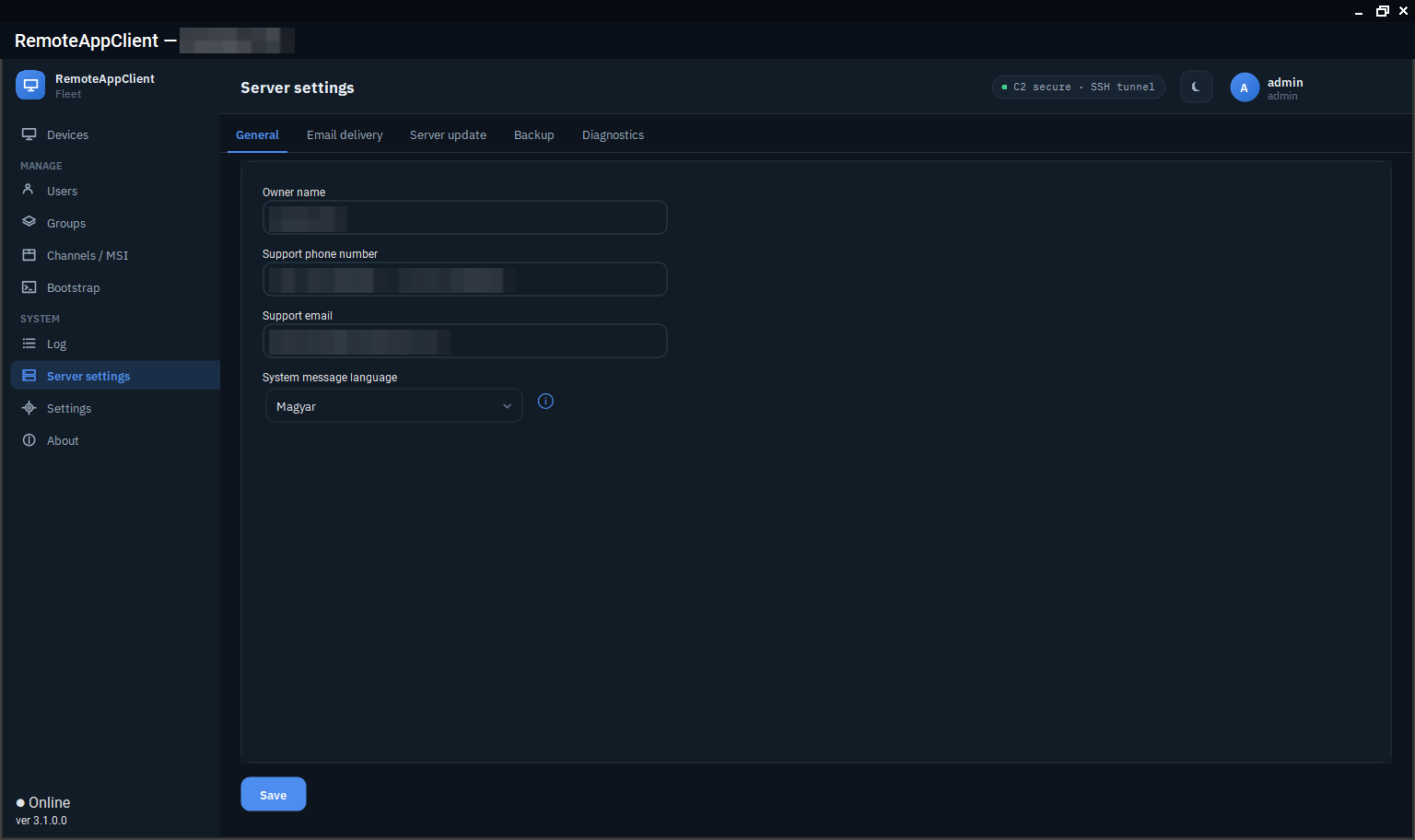
The server also keeps its own log file and a health snapshot that the console (Server settings → Diagnostics) and racctl read without a shell on the box: see Diagnostics.
Moving to another box
Devices are never imported: an agent's identity lives on the device. What the agents pin is what has to survive on the server - the command-signing key, the bastion's SSH host key and the client CA. That is about 2 KB of secrets plus one host key, and deploy/backup.sh puts them in one archive:
./deploy/backup.sh                                   # on the OLD box
#   ... rebuild the box, keep the same DNS name ...
./deploy/restore.sh racd-identity-<ts>.tar.gz        # 1. secrets + bastion host key
./deploy/setup.sh                                    # 2. finds them and REUSES them
./deploy/restore.sh racd-identity-<ts>.tar.gz --db   # 3. database; agents then reconnect on their own
The order is the whole trick: 04-server only generates secrets that are missing. Restore first and the installer adopts the fleet; run it first and it mints new keys that lock every device out. The archive holds the private keys of the whole fleet: store it encrypted, off the box. What each key protects and which can be rotated: Keys and certificates.
Updating the server later
A new server package is applied from the console (Server settings → Server update) or with racctl update RemoteServer-linux-x64.tar.gz: the helper installed by 10-selfupdate stops the service, keeps a backup of the binaries and the database, applies the package and an optional SQL script, and rolls back by itself when the service does not come up. See Updates and packages.