Media player
The active Windows media session in Home Assistant as a media_player entity:
- current title, artist, album and the cover art
- play / pause / stop
- next / previous track
- seek
- volume and mute control
- TTS playback (Home Assistant's TTS engine makes the audio, the PC plays it)
- announcements, which are heard even on a muted PC
The media player uses the Windows global media transport sessions for playback control and the default Windows audio endpoint for volume and mute, so it follows whatever plays: Spotify, a browser, the Movies & TV app, a game. It is handled by the tray app, since the session belongs to the logged-in user.
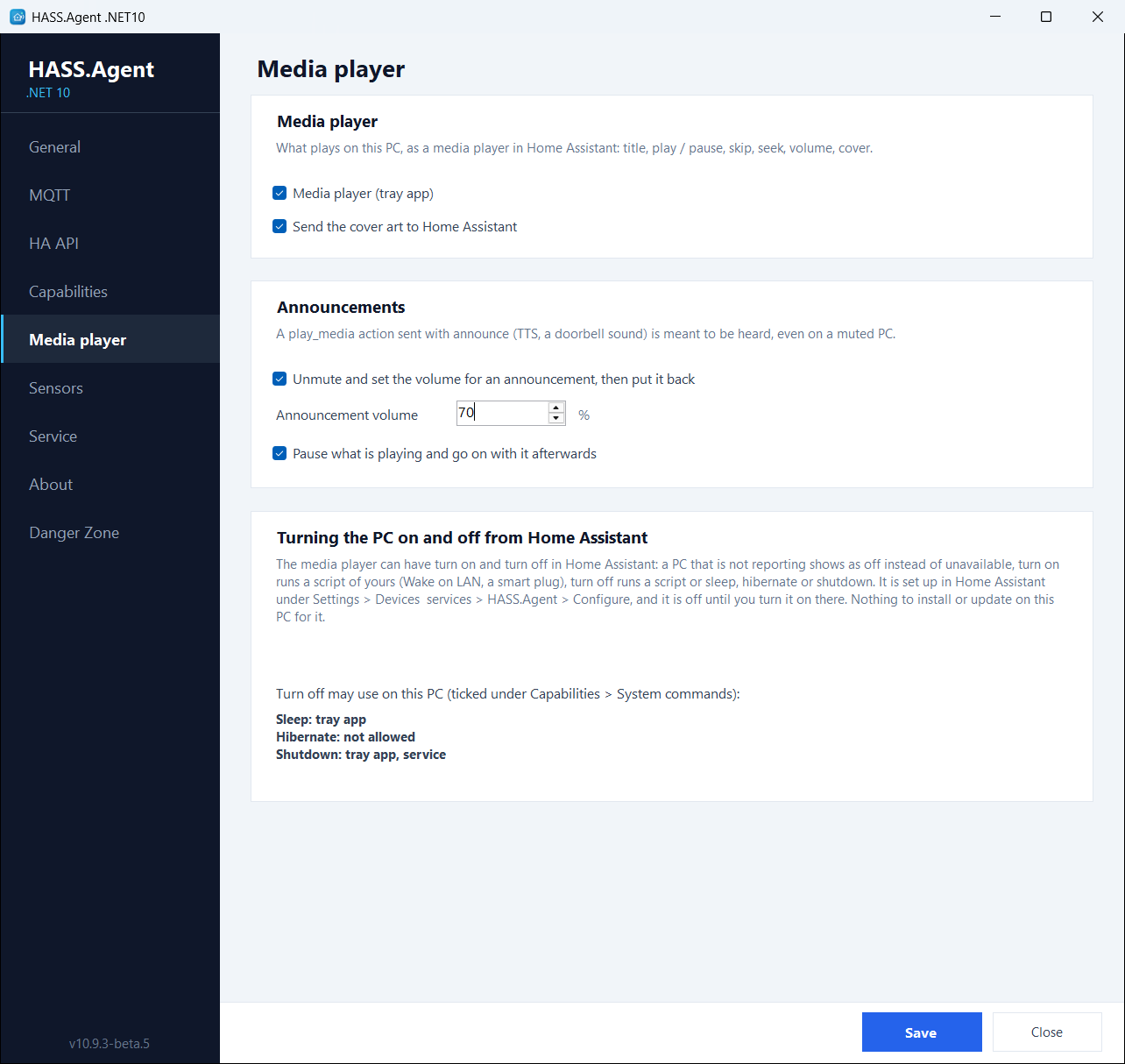
The Media player page
Its settings are on the Media player page of the app (10.10.0+):
- Media player (tray app): the switch for the whole entity.
- Send the cover art to Home Assistant: off, the entity keeps the title and the controls but shows no picture. Over the HA API the picture travels as base64 and is a third larger than over MQTT, which is one reason to switch it off.
- Announcements: see below.
- Turning the PC on and off from Home Assistant: nothing to set on the PC. The media player's turn on and turn off live in the integration's options in Home Assistant (Settings → Devices & services → HASS.Agent → Configure) and are off until you turn them on there; the page tells which of sleep, hibernate and shutdown this PC allows, as ticked under Capabilities → System commands. The integration's Entities page explains the options.
Announcements
From 10.10.0, with the integration 10.10.0 or newer.
A media_player.play_media action sent with announce: true (a TTS message, tts.speak with the PC as its target, a doorbell sound) is meant to be heard. With Announcements on:
- Unmute and set the volume for an announcement, then put it back: the PC is unmuted and set to the announcement volume (70 % unless you change it).
- Pause what is playing and go on with it afterwards: what was playing is paused.
- The sound plays.
- The volume, the mute and the playback go back to what they were.
Without the flag, play_media plays at the current volume, as before. A pause or a stop from Home Assistant while the sound plays cuts it and puts everything back (the card shows pause; media_player.media_stop works from an automation). With both boxes off, a muted PC stays silent. An older integration plays the sound at the current volume.
Home Assistant's own TTS sends the flag by itself, so a tts.speak aimed at the PC is an announcement:
action: tts.speak
target:
  entity_id: tts.google_translate_en_com
data:
  media_player_entity_id: media_player.my_pc
  message: "The washing machine is done."
A sound file the same way, with media_player.play_media and announce: true:
action: media_player.play_media
target:
  entity_id: media_player.my_pc
data:
  media_content_id: https://homeassistant.local:8123/local/doorbell.mp3
  media_content_type: music
  announce: true
The idea comes from a fork by @VorlonCD.
In Home Assistant
The player is one entity of the PC's device, with the cover art on its card, and media_player.play_media takes a URL of any audio file the PC can fetch, besides the TTS. Entities lists what the integration creates.