Entities
When connected via MQTT or HA API, the integration creates the following entities:
| Platform | Entity | Description |
|---|---|---|
media_player |
Media player | Control Windows media playback, volume, cover art, TTS and announcements |
notify |
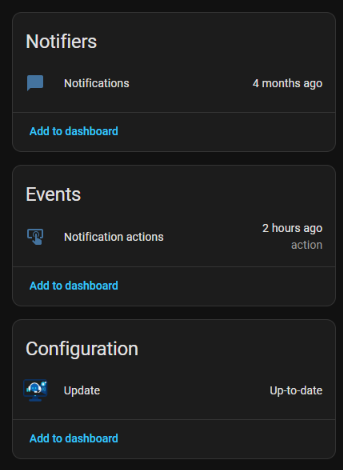
Notifications | Send notifications to the Windows tray |
event |
Notification actions, Hotkeys | Action button press events from notifications; hotkey presses (client 10.9.0+) |
sensor |
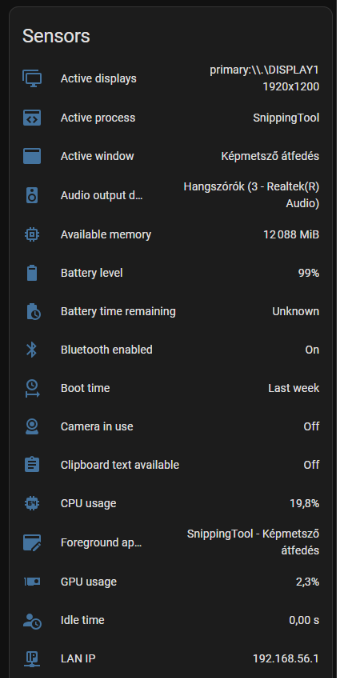
System sensors | Built-in and custom sensors from the Windows client |
button |
System commands | Lock, sleep, shutdown, restart, volume, etc. |
select |
Audio output / input | Chooses the default playback and recording device (client 10.9.0+, the matching Audio output device / Audio input device sensor enabled) |
light |
Display | Screen brightness where the display can be dimmed; off switches the monitor off, on wakes it (client 10.9.0+, Display brightness sensor enabled) |
update |
App update | Shows available HASS.Agent .NET10 updates |
Entities are created and removed dynamically as the Windows client changes its configuration.
Turning the PC on and off with the media player
Off by default (10.10.0+, any supported client). Turn it on in the integration's options: Settings → Devices & services → HASS.Agent .NET10 → Configure on the PC, then Media player: turn on and off. It is not switched on by itself because it changes the player's state: until now a PC whose app was not running made the player unavailable, and automations may count on that.
With the option on:
- The player is off when the PC is off, not unavailable, so it can be turned on. While the Windows service still reports, the PC is on and only the app is closed: the player stays unavailable then. That can be switched off with Media player: unavailable while the Windows service still reports; without the service the PC cannot tell the two apart and the player is off.
- Turn on fires the device trigger Turn on was requested (media player) and runs the script picked under Media player: script to run on turn on, if any. A PC that is off cannot be reached, so the waking is yours: Wake on LAN, a smart plug, anything an automation or a script can do.
- Turn off fires the device trigger Turn off was requested (media player), then does what Media player: turn off does says: nothing, the script picked under Media player: script to run on turn off, or the PC's own Sleep, Hibernate or Shutdown command. Shutdown waits 60 seconds, like the button, and the command has to be switched on in the Windows app.
The scripts get serial_number, device_id and entity_id as variables. Waking a PC with Wake on LAN:
script:
  wake_my_pc:
    sequence:
      - action: wake_on_lan.send_magic_packet
        data:
          mac: "AA:BB:CC:DD:EE:FF"
Announcements
A media_player.play_media action sent with announce: true (a TTS message, tts.speak with media_player_entity_id, a doorbell sound) is meant to be heard. With the Windows client 10.9.3 or newer the PC is unmuted and set to the announcement volume chosen on its Media player page for it, what was playing is paused when the user wants that, and afterwards the volume, the mute and the playback go back to what they were. An older client plays the sound at the current volume, as before; without the flag, so does every client.